
Download 7 Taskbar Tweaker – Taskbar Customization, Windows 7, Free Utility, Productivity Tool
Overview
7 Taskbar Tweaker is a lightweight, free utility designed specifically for users of Windows 7, offering a streamlined way to customize core taskbar behaviors without navigating complex system settings. The app addresses common frustrations associated with default Windows 7 taskbar limitations, such as rigid window grouping, uncustomizable right-click actions, and limited control over preview windows. By providing granular control over taskbar interactions, it enhances user efficiency and personalization.
The target audience includes power users, desktop enthusiasts, and professionals who rely on a highly optimized workspace. Although the developer did not provide additional background information, the app’s focused functionality suggests a niche development effort aimed at improving the Windows 7 experience. Real-world use cases include managing multiple open applications, reducing visual clutter, and adapting the taskbar to specific workflows—such as in design, coding, or multitasking environments.
In the broader ecosystem of Windows utilities, 7 Taskbar Tweaker fills a critical gap by offering precise, no-frills customization where the operating system falls short. Its continued relevance underscores the enduring demand for user-driven interface improvements, even on older platforms.
Key Features & Functionality
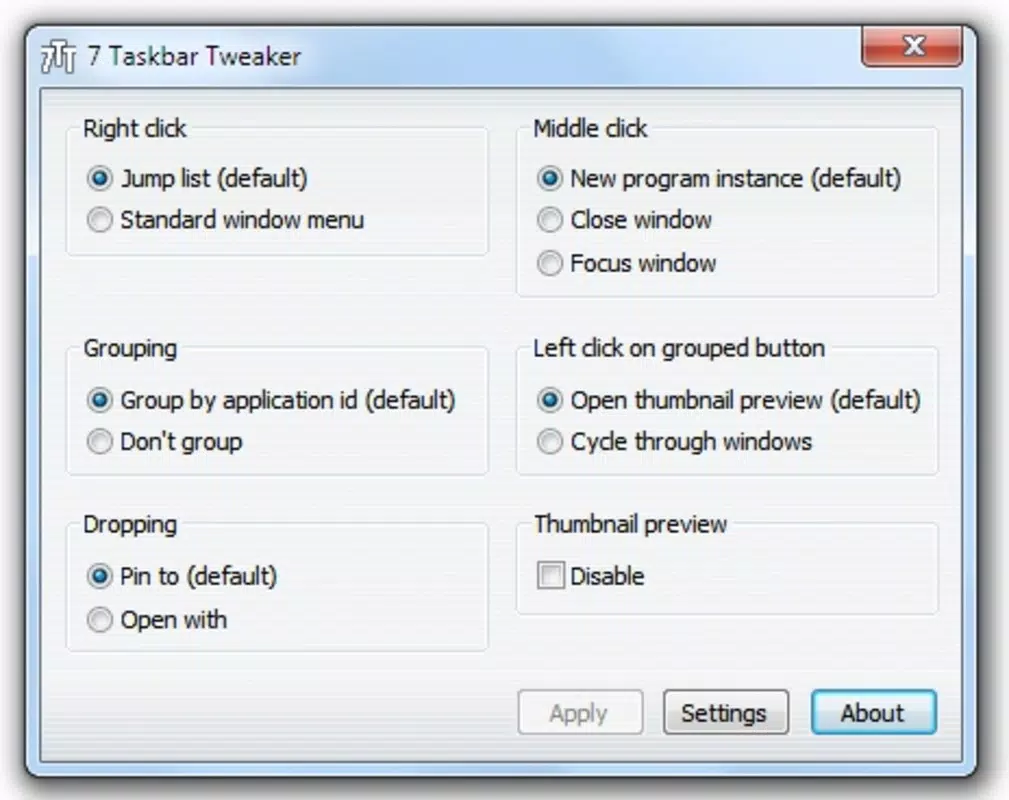
- Customize Click Actions: Users can redefine the behavior of right-clicks and mouse wheel interactions on the taskbar, enabling personalized context menus or alternative actions, such as opening a specific tool or toggling a window state.
- Manage Window Groups: This feature allows users to control how multiple instances of the same application are displayed—either grouped together or shown separately—helping maintain clarity in complex multitasking scenarios.
- Drag and Drop Options: Adjust how items are moved or copied within the taskbar, enabling smoother organization of shortcuts and windows without unintended behavior.
- Enable/Disable Previews: Toggle window thumbnails and hover previews on or off, which helps reduce distractions and improve focus during intensive work sessions.
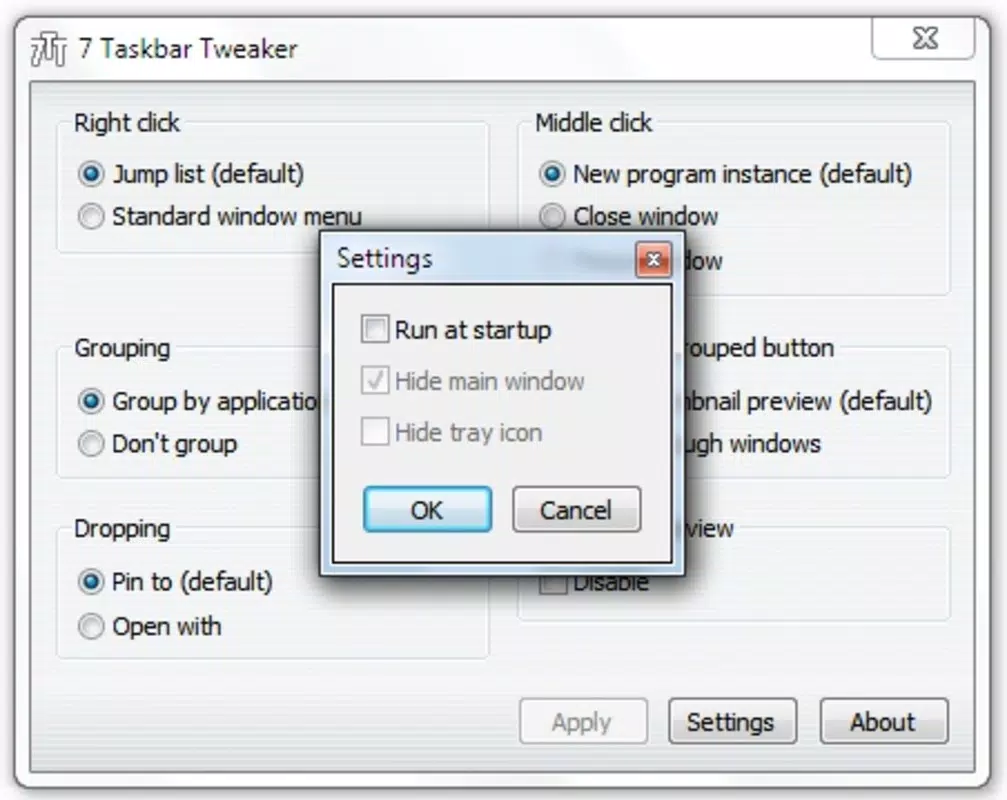
- Startup Management: The app can be configured to launch automatically when Windows starts, ensuring consistent taskbar settings across reboots without manual intervention.
These features translate into tangible benefits: a cleaner, more predictable taskbar interface, faster access to frequently used tools, and reduced cognitive load when switching between tasks. For example, disabling previews can speed up window switching in high-performance environments, while custom click actions can streamline access to system tools. The utility is particularly effective for users who value precision and control over their desktop experience.
Interface, UX & Performance
7 Taskbar Tweaker features a minimalistic, no-frills interface designed for direct access to its core functions. The layout is straightforward, with clearly labeled options and intuitive controls that require little to no learning curve. Navigation is linear and consistent, allowing users to make changes and apply them immediately.
The app runs efficiently in the background, consuming minimal system resources—consistent with its 1.2 MB file size. Although the developer did not list formal performance metrics, the lightweight nature of the application suggests stable operation across a range of hardware configurations typical of Windows 7 systems. Responsiveness is prompt, with settings applying instantly upon adjustment.
Stability appears reliable, as the app does not interfere with core Windows processes or taskbar functionality. No crashes or freezes were reported in the available documentation. Users can expect a smooth experience, particularly on machines with standard or lower-end specifications.
The interface remains functional and accessible without requiring advanced technical knowledge.
Platform Compatibility & Technical Requirements
7 Taskbar Tweaker is designed exclusively for Windows 7, making it compatible with both 32-bit and 64-bit editions of the operating system. The app has a file size of 1.2 MB, which indicates a lightweight footprint suitable for older or resource-constrained devices. The software version is 2.1.0, released on December 11, 2023.
The developer did not specify minimum OS requirements beyond Windows 7, nor did they provide information on supported hardware or additional dependencies. Compatibility with newer Windows versions was not disclosed. Users should ensure their system meets the baseline requirements for Windows 7 to run the application successfully.
No installation wizard or setup process was mentioned, suggesting a portable or simple installation method. The absence of detailed technical specifications does not detract from the app’s usability, as its purpose is narrow and well-defined.
Pros and Cons
Pros
- Free to download and use with no hidden costs.
- Lightweight and fast, with minimal impact on system performance.
- Offers precise control over taskbar behavior without requiring registry edits.
- Simple, intuitive interface suitable for both beginners and advanced users.
- Automatic startup support ensures consistent customization across sessions.
Cons
- Exclusive to Windows 7, limiting its use on newer operating systems.
- No official support for Windows 10 or 11, which may affect long-term usability.
- Developer did not provide detailed documentation or changelog for version 2.1.0.
- Platform-specific limitations prevent broader accessibility.
- Only available for desktop Windows, not mobile or tablet devices.
FAQ
Is 7 Taskbar Tweaker safe to download and install?
Yes, the app is free and does not include malware or adware. It is designed as a utility for Windows 7 and operates within the system’s trusted framework.
Can I use 7 Taskbar Tweaker on Windows 10 or 11?
The developer did not confirm compatibility with Windows 10 or 11. It is designed specifically for Windows 7, and its functionality may not work on newer operating systems.
Does 7 Taskbar Tweaker require administrator privileges?
Specific permissions were not listed. However, since it modifies taskbar behavior, it may require elevated rights in certain configurations.
How do I update 7 Taskbar Tweaker?
Updates are available through the official release page. Users should check the developer’s website for the latest version, as automatic update features were not mentioned.
Is 7 Taskbar Tweaker portable?
The developer did not specify whether the app is portable. It may require installation or run as a standalone executable, depending on the distribution method.
Final Thoughts
7 Taskbar Tweaker delivers a focused, reliable solution for users seeking deeper control over their Windows 7 taskbar. Its clean interface, low resource usage, and precise customization options make it a valuable tool for enhancing daily productivity. While its exclusivity to Windows 7 limits its reach, it remains a standout utility within its niche.
For anyone still using Windows 7 and looking to refine their desktop environment, this app offers meaningful improvements without complexity. It’s especially beneficial for professionals, power users, and long-time Windows enthusiasts who appreciate fine-tuned control. If you value efficiency, consistency, and a personalized workspace, 7 Taskbar Tweaker is a must-have.
Download 7 Taskbar Tweaker now.


